

AP Schedule
This page sets the weekly AP schedule and the daily open invoice log. It is the standing rhythm once AppFolio is deployed for the whole office. During rollout, REA double-books every invoice in both MRI (our old AP system) and AppFolio.
For full invoice intake, REA posting, Bill Entry Drafts, and approval detail, see the AP Processing Workflow.
Weekly Schedule
| Day | Person | Tasks |
|---|---|---|
| Daily | REA | Post invoices to MRI and AppFolio |
| Daily | In-house controllers | Post mortgage payments |
| Daily (end of day) | Rachana or REA | Save the open invoice report to the Open Invoice Log folder |
| Bi-weekly | Lily | Pull online utility account billing |
| Tuesday | Marsha (REA) | Review the open invoice list |
| Wednesday | Anna, Mike, Rachana | Review open invoices, then review with Lily and Randy for check-cutting input |
| Thursday | Odeirre | Cut checks and make payments |
| Friday | Mike, Anna, Rachana | Review open invoices and use open invoice dashboard to compare changes between Wednesday and Friday |
Daily Open Invoice Log
At the end of each day, Rachana or REA saves the MRI open invoice report to the Open Invoice Log folder. This gives the Tuesday and Wednesday reviewers a dated snapshot of every open invoice.
Save Location
Z:\Shared\BBT Asset Management Inc\Accounting\REA_Invoices\Open Invoice LogSave each export as yyyymmdd.xlsv (for example, 20260603.xlsv).
DirectoryREA_Invoices/
Directory
Open Invoice Log/- 20260603.xlsv
- 20260602.xlsv
Directory06-03-2026/
- …
Steps: Export the Open Invoice Report
-
Open MRI Query
From the MRI home screen, click MRI Utilities, then MRI Query.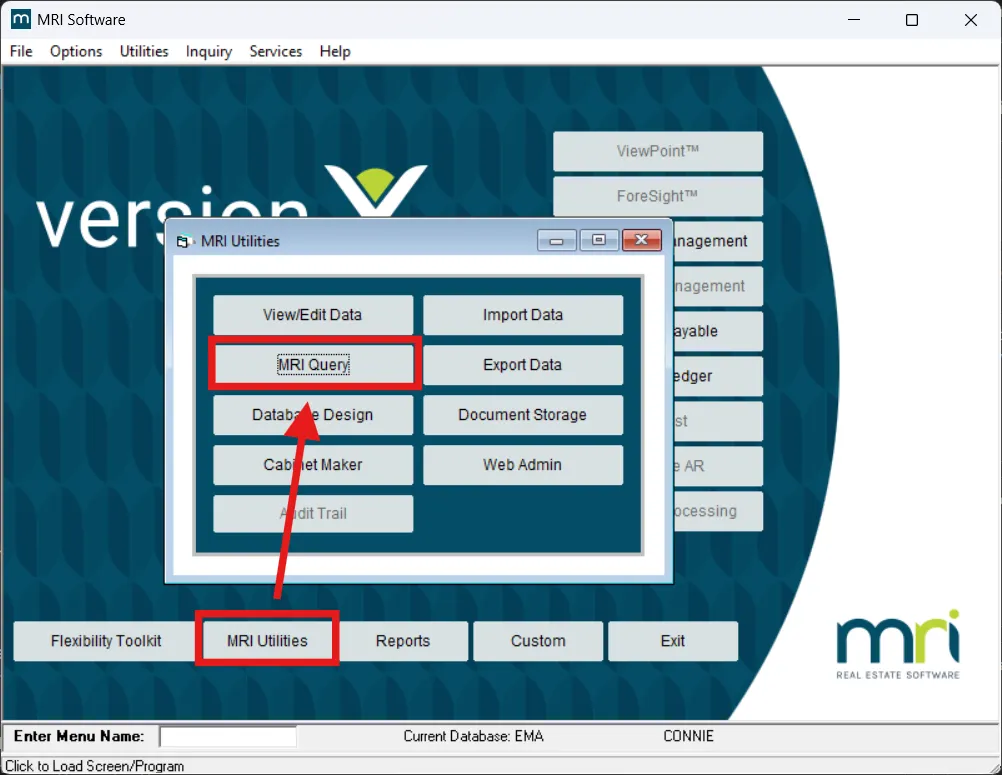
-
Load the saved query
Click Select Query, choose OPENINVLOG (LOG OPEN INVOICE), then click Select.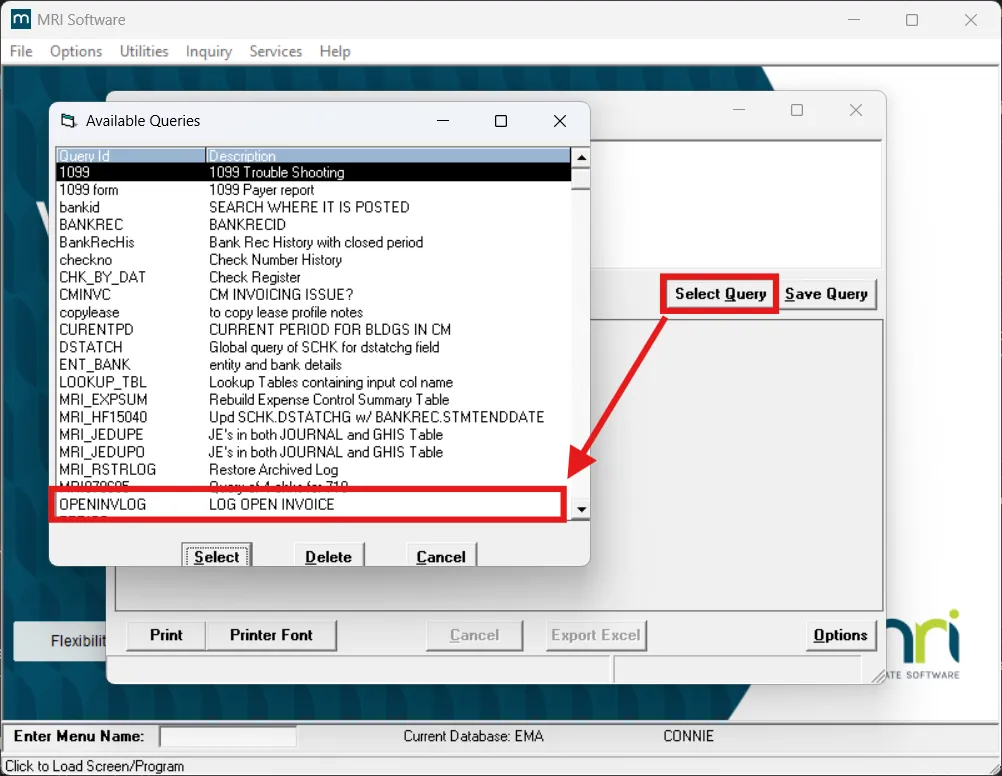
-
Run and export
Click Execute to run the query, then click Export Excel.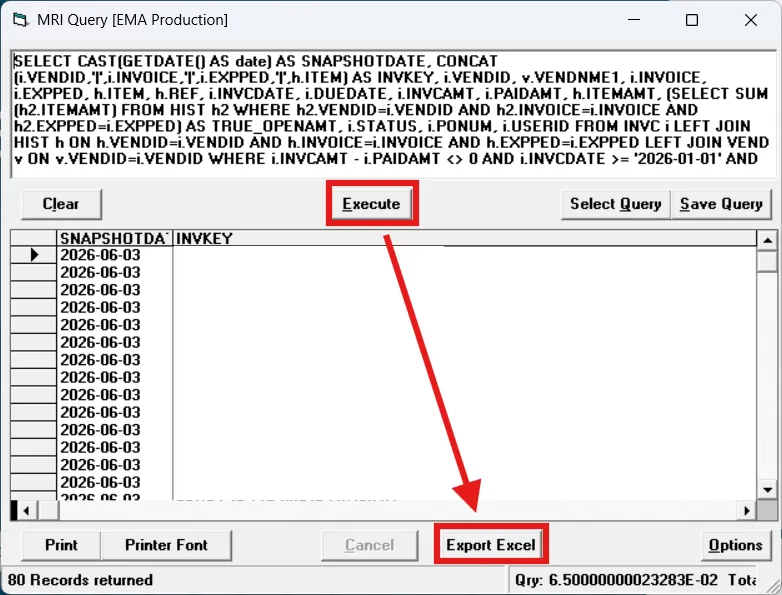
-
Save the file
Save the export to the Open Invoice Log folder using theyyyymmdd.xlsvformat.