

Claude Setup
Connectors let Claude pull from our systems instead of guessing:
- monday.com for boards, items, and updates
- ROZ for our property document index
- Microsoft 365 for Outlook mail and calendar, Teams messages, and SharePoint files
Both are already loaded on our Claude account. Connect once and they stay available in every chat.
Connect
-
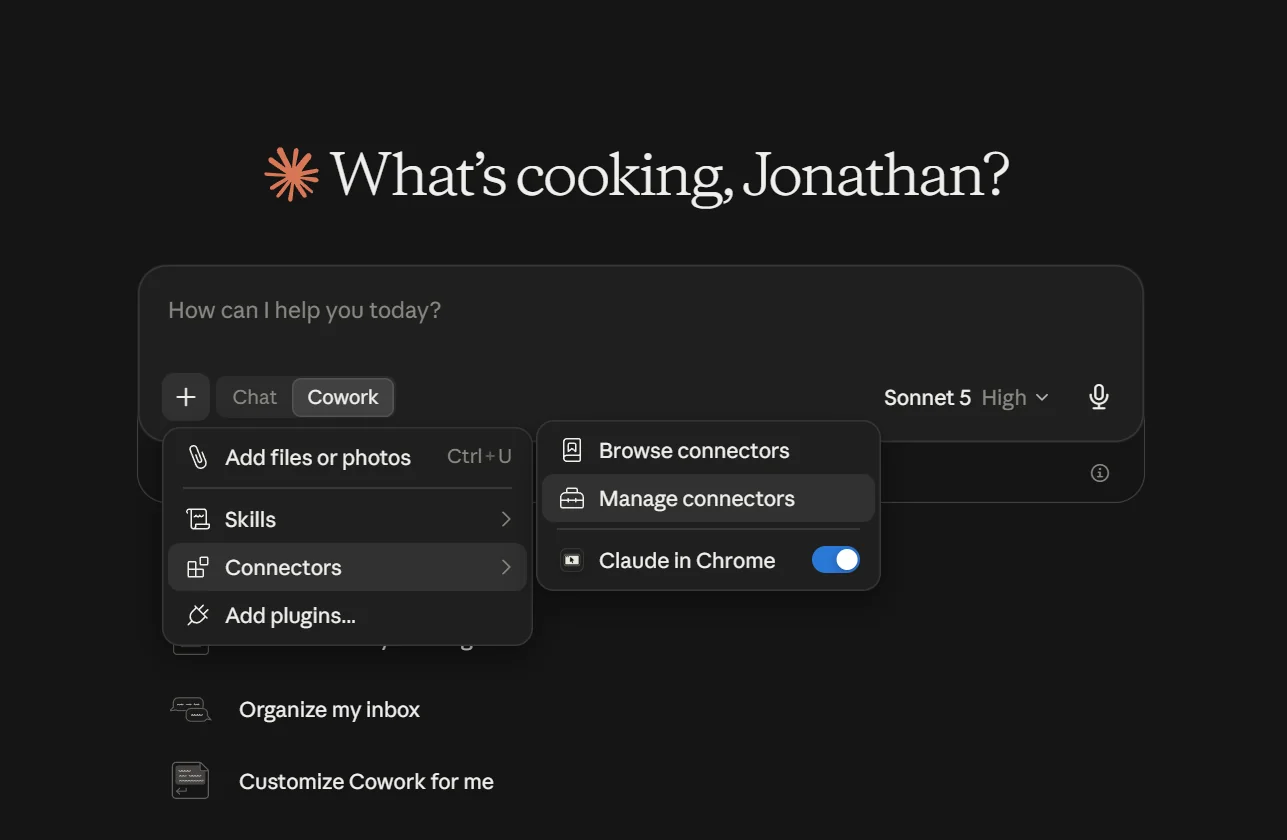
Open Settings > Connectors, or from a chat click + > Connectors > Manage connectors.
-
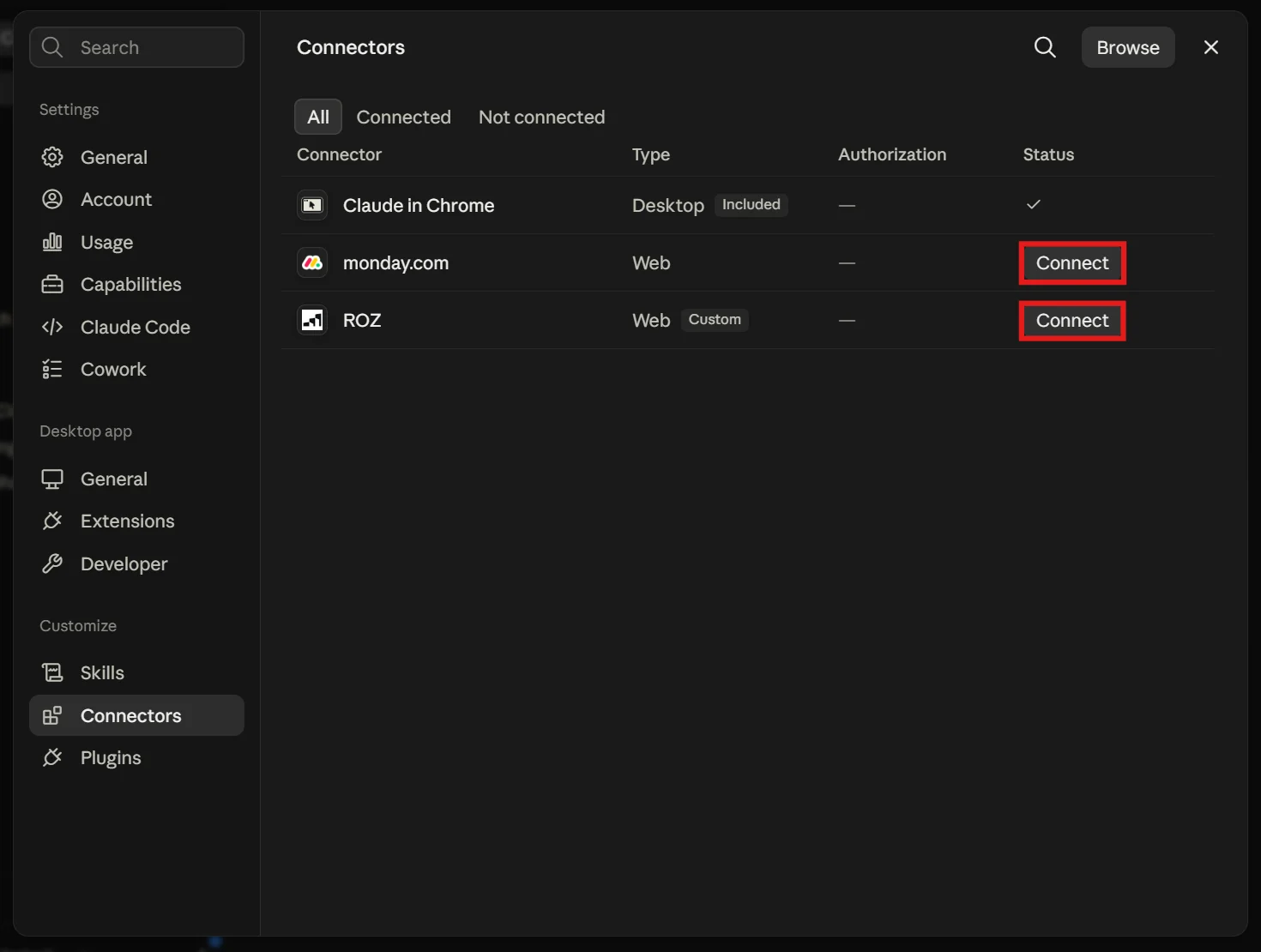
Click Connect next to monday.com, ROZ, and Microsoft 365.
-
Sign in if a window opens. Status turns to a checkmark when it is done.
Adding ROZ manually (personal accounts)
If ROZ is not in your list, add it as a custom connector.
-
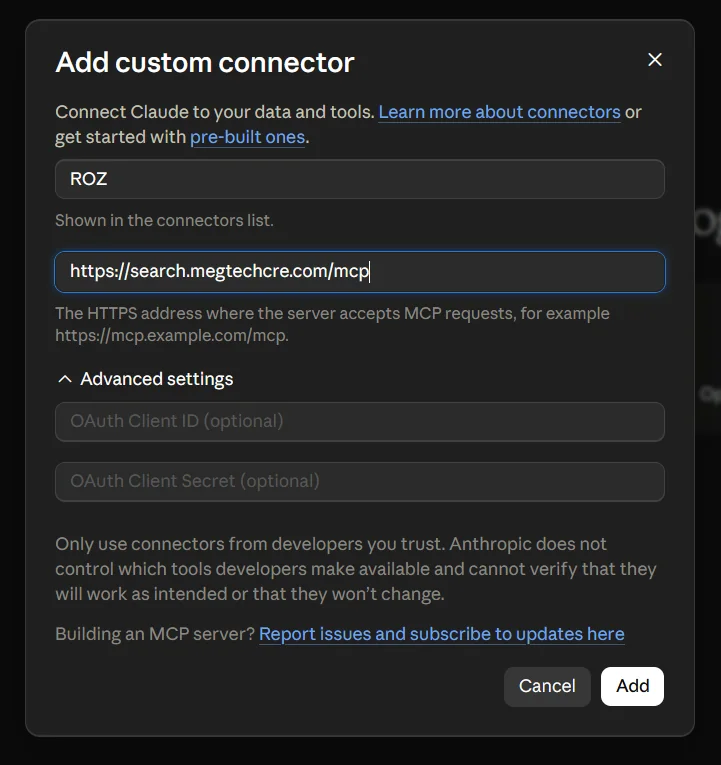
Go to + > Connectors > Add connector > Add custom connector.
-
Name it
ROZand use the URLhttps://search.megtechcre.com/mcp. -
Leave the OAuth fields blank and click Add.
Set Tool Permissions
ROZ only reads, so let it run without prompting.
-
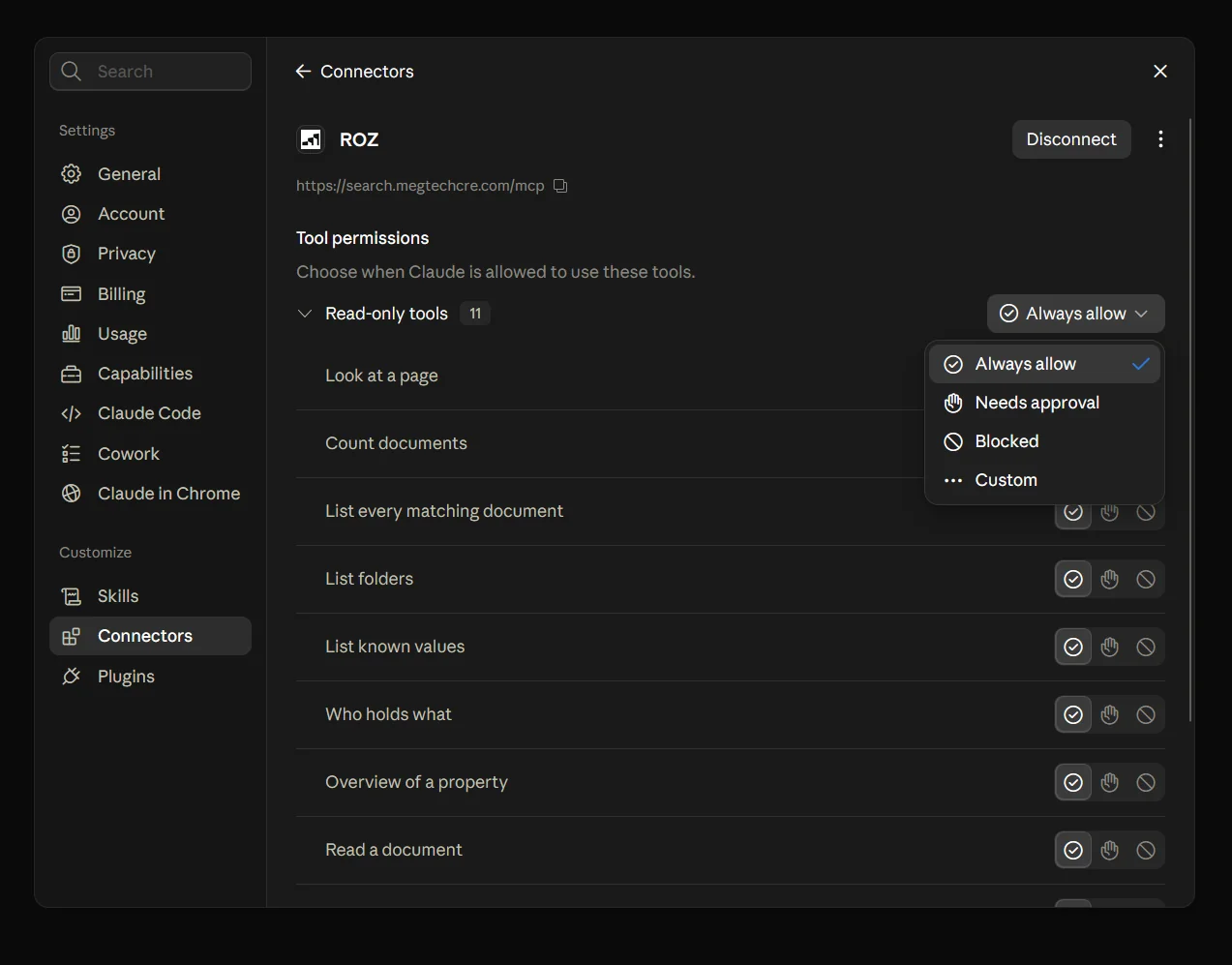
Go to Settings > Connectors > ROZ.
-
Set Read-only tools to Always allow.
Turn Connectors On and Off
Each chat has its own toggles. Open + > Connectors and switch a connector on or off for that conversation. Turning off what you do not need keeps answers faster and more focused.
What to Ask
| Ask | Example |
|---|---|
| Find a document | Find the 2024 CAM reconciliation for Wilshire |
| See what we have | What documents do we have for 1234 Main St? |
| Read a document | Summarize the lease amendment for that tenant |
| Ownership | Which entity owns this property? |
| Counts | How many documents do we have per property for 2025? |
| Your work | What is assigned to me on monday.com this week? |
| Did the vendor ever reply about the invoice? | |
| Calendar | What is on my calendar Thursday afternoon? |
Read More
Troubleshooting
Common connector issues
Connector missing
Refresh the app, or sign out and back in.
Claude keeps asking for approval
The tool is set to Needs approval. Change it in Settings > Connectors.
ROZ returns nothing
Use the property address or entity name instead of a nickname, and drop the year. The document may also not be indexed yet.
Connection failed or expired
Open Settings > Connectors, click the connector, then Disconnect and connect again.